Model · OpenAI GPT Image
GPT Image 2 API
Generate and edit images with GPT Image 2, 2.5 and 2.6 through one OpenAI-compatible endpoint. On the -vip models every image costs $0.03, from 1K up to native 4K, at any quality level they accept.
- per image on -vip models, 1K to 4K
- $0.03
- 3840×2160 rendered at size, not upscaled
- Native 4K
- OpenAI-compatible generate and edit
- /v1/images
- on requests per minute or concurrency
- No key cap
01
Price of a 4K image: LaoZhang API vs OpenAI
OpenAI bills GPT Image by output tokens at $30 per 1M ($15 per 1M in Batch), so a larger image or a higher quality tier costs more. The LaoZhang API -vip models charge one price per call, whatever the size or quality.
| Route | How it bills | Per image | 1,000 images |
|---|---|---|---|
| OpenAI, gpt-image-2 | Output tokens, $30 per 1M | $0.40026 | $400.26 |
| OpenAI Batch, gpt-image-2 | Output tokens, $15 per 1M | $0.20013 | $200.13 |
| OpenAI, GPT Image 2.6 Flare / Sunburst | Output tokens, no Batch | About $0.10 (measured) | About $100 |
| LaoZhang API, any -vip model | Per call | $0.03 | $30 |
The GPT Image 2 figure is 13,342 output tokens × $30 / 1M, from the cost table in OpenAI's image generation guide as of October 29, 2026. Our own gpt-image-2-vip call at 3840×2160 high on November 9, 2026 reported the same 13,342 output tokens and was charged $0.03. Text and reference-image input tokens are extra on OpenAI and not included.
OpenAI is cheaper for small, low-quality images. At 1024×1024, GPT Image 2.5 used 196 output tokens at low ($0.0059) and 439 at medium ($0.0132) in LaoZhang's own measurements, both below $0.03. Per-call pricing saves money at high quality and at 2K to 4K.
02
Choose a model ID
All models use POST /v1/images/generations to generate and POST /v1/images/edits to edit. Create a Per-call token in the default group for the $0.03 models; the token's group and billing mode, not the model name, decide how a request is billed.
| Model ID | Price | 4K | Quality | Best for |
|---|---|---|---|---|
| gpt-image-2-vip | $0.03 per call | Native | low, medium, high | Native 4K on existing GPT Image 2 code |
| gpt-image-2 with a GPT Image VIP token | $0.03 per call | Native | low, medium, high | Tools that only accept the official model name |
| gpt-image-2.5-flare-vip, gpt-image-2.5-sunburst-vip | $0.03 per call | Native | low to max | New integrations; transparent PNG |
| gpt-image-2.6-flare-vip, gpt-image-2.6-sunburst-vip | $0.03 per image | Native | low, medium, high | GIF output; newest GPT Image version |
| gpt-image-2-web | $0.03 per call | Upscaled from about 2K | size only | Fast 1K and 2K images, 20–35 s |
| gpt-image-2 (OpenAI Official group) | OpenAI's token price | Native | OpenAI's full options | Keeping OpenAI's request body and billing |
Keep the official model name if your code or tool can't change it: since November 6, 2026, a token in the GPT Image VIP group runs gpt-image-2, gpt-image-2.5-flare, gpt-image-2.5-sunburst, gpt-image-2.6-flare and gpt-image-2.6-sunburst on the VIP route at $0.03 per call. Only the API key changes.
The OpenAI Official Enterprise group bills at OpenAI's price plus 20% and runs on OpenAI keys only.
03
Image sizes
Price doesn't depend on size: every size below costs $0.03 per image on the -vip models. Send the size as WIDTHxHEIGHT.
| Aspect ratio | About 1K | About 2K | 4K |
|---|---|---|---|
| 1:1 | 1024x1024 | 2048x2048 | 2880x2880 |
| 16:9 | 1536x864 | 2048x1152 | 3840x2160 |
| 9:16 | 864x1536 | 1152x2048 | 2160x3840 |
| 3:2 | 1536x1024 | 2304x1536 | 3456x2304 |
| 2:3 | 1024x1536 | 1536x2304 | 2304x3456 |
| 4:3 | 1024x768 | 2048x1536 | 3264x2448 |
| 3:4 | 768x1024 | 1536x2048 | 2448x3264 |
GPT Image 2.5 and 2.6 -vip accept any custom size whose width and height are multiples of 16, whose longer edge is at most 3840 pixels and at most 3 times the shorter one, and whose total is 655,360 to 8,294,400 pixels. For gpt-image-2-vip the docs list 1024x1024, 2048x2048, 3840x2160, 2160x3840 and 2880x2880; use those, or a 2.5 -vip model for other shapes.
04
How to check that a 4K image is native
A 3840×2160 file can be rendered at 4K, or rendered at 1.5K–2K and enlarged. Both have exactly the right dimensions, so the file size and pixel count prove nothing. Three checks do: a downscale test, a look at 100%, and the file's content credentials.
Downscale test: shrink the image to half size, enlarge it back and compare it with the original (PSNR). Native 4K loses fine detail on the round trip; an enlarged image has little to lose and comes back almost unchanged. Measure the most detailed part of the image, not only the whole: walls, sky and flat wood raise the whole-image score even on native 4K. The script below does both.
import sys

import numpy as np
from PIL import Image, ImageFilter


def round_trip_psnr(img):
    w, h = img.size
    back = img.resize((w // 2, h // 2), Image.LANCZOS).resize((w, h), Image.LANCZOS)
    mse = np.mean((np.asarray(img, dtype=np.float64) - np.asarray(back, dtype=np.float64)) ** 2)
    return float("inf") if mse == 0 else 10 * np.log10(255**2 / mse)


def most_detailed_quarter(img):
    w, h = img.size
    cw, ch = w // 2, h // 2
    edges = np.asarray(img.convert("L").filter(ImageFilter.FIND_EDGES), dtype=np.float64)
    best, box = -1.0, (0, 0, cw, ch)
    for y in range(0, h - ch + 1, h // 8):
        for x in range(0, w - cw + 1, w // 8):
            score = edges[y:y + ch, x:x + cw].mean()
            if score > best:
                best, box = score, (x, y, x + cw, y + ch)
    return box


image = Image.open(sys.argv[1]).convert("RGB")
box = most_detailed_quarter(image)
print(f"whole image PSNR      = {round_trip_psnr(image):.1f} dB")
print(f"detailed quarter PSNR = {round_trip_psnr(image.crop(box)):.1f} dB")python3 check_4k.py image.png
c2patool image.pngHow to read the detailed-quarter score: our five native 4K files score 27.7–33.8 dB, and the same files shrunk to 2K or 1.5K and enlarged back score 43.4–47.9 dB. Below about 35 dB means real 4K detail; above about 40 dB means the image holds no more than about 2K. AI super-resolution invents texture and can pass this test, so also view the original at 100% (small text, hair, fabric) and read its content credentials.
05
Our 4K results, November 8 and 9, 2026
Five 3840×2160 requests at quality high, one per -vip model, all with the same prompt. Each returned on the first attempt and was charged $0.03 in the usage log. PSNR figures come from the script above.
| Model | Date | Time to response | PSNR, whole | PSNR, detailed quarter | Content credentials | Charged |
|---|---|---|---|---|---|---|
| gpt-image-2-vip | Nov 9 | 89.3 s | 36.4 dB | 33.8 dB | Adobe Firefly, signed by Adobe Inc. | $0.03 |
| gpt-image-2.5-flare-vip | Nov 8 | 42.7 s | 35.9 dB | 32.8 dB | OpenAI API, signed by OpenAI OpCo, LLC | $0.03 |
| gpt-image-2.5-sunburst-vip | Nov 8 | 44.1 s | 33.2 dB | 30.4 dB | OpenAI API, signed by OpenAI OpCo, LLC | $0.03 |
| gpt-image-2.6-flare-vip | Nov 8 | 35.8 s | 33.7 dB | 30.9 dB | OpenAI API, signed by OpenAI OpCo, LLC | $0.03 |
| gpt-image-2.6-sunburst-vip | Nov 8 | 72.6 s | 28.5 dB | 27.7 dB | OpenAI API, signed by OpenAI OpCo, LLC | $0.03 |
| Control: gpt-image-2-vip file shrunk to 1920×1080, enlarged back | 48.2 dB | 45.5 dB |
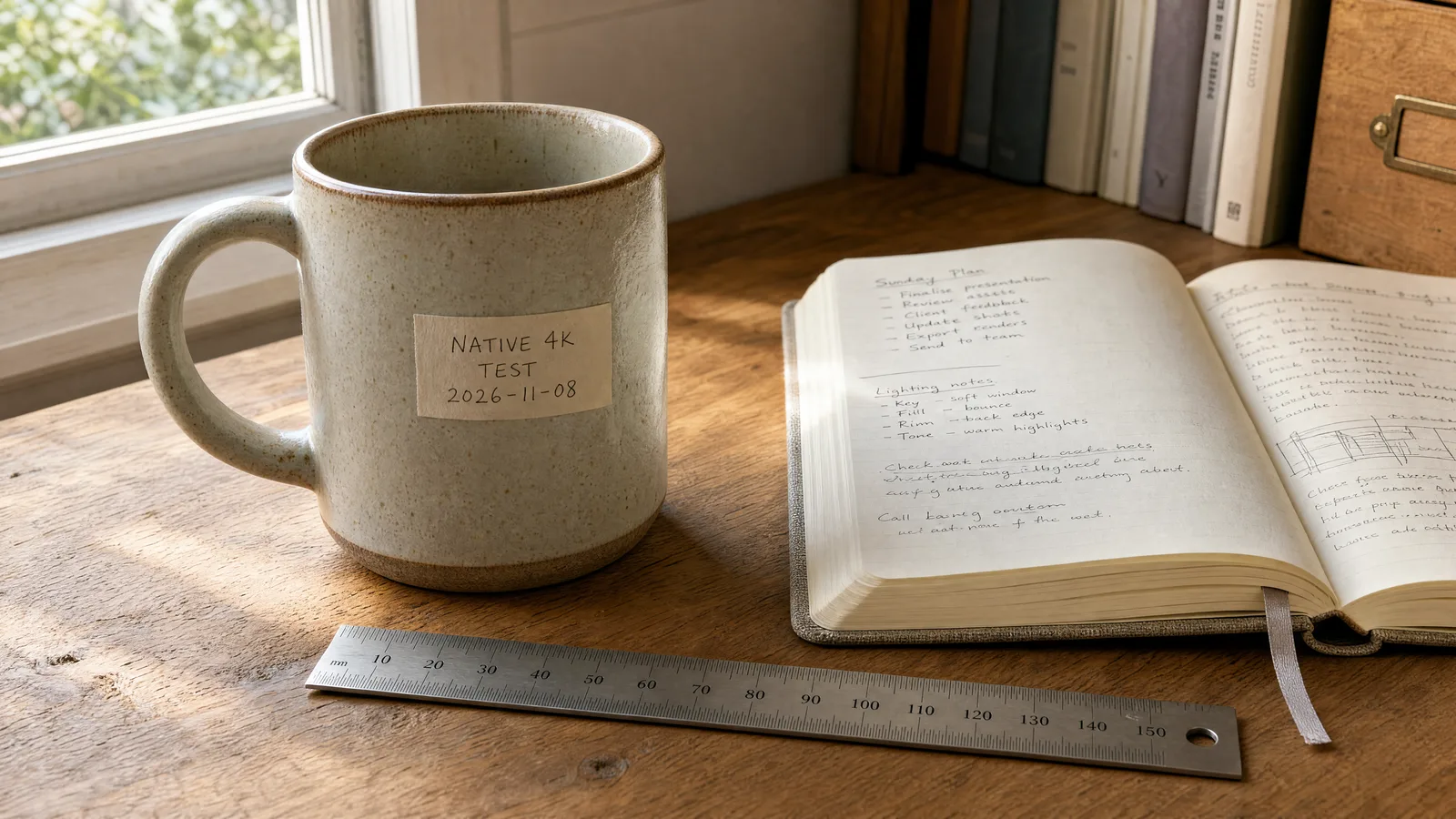
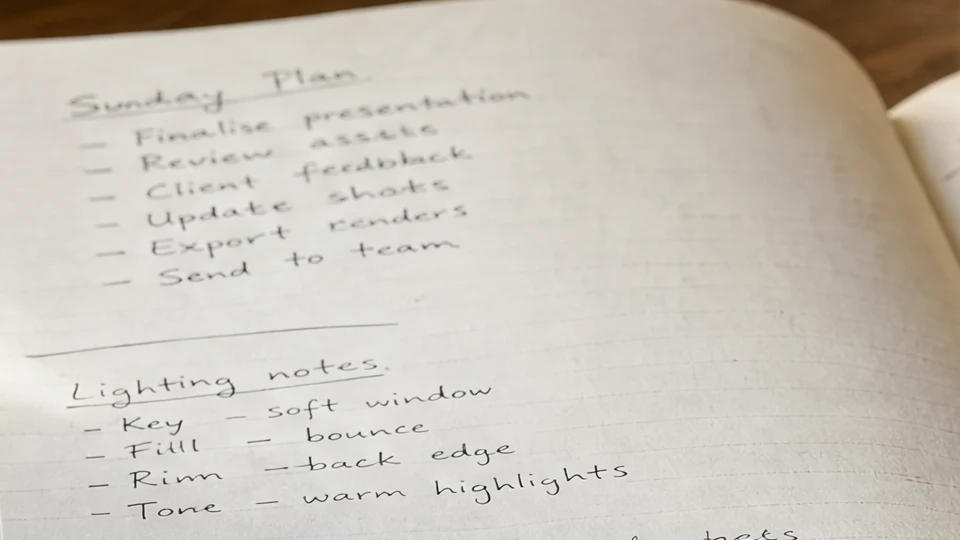
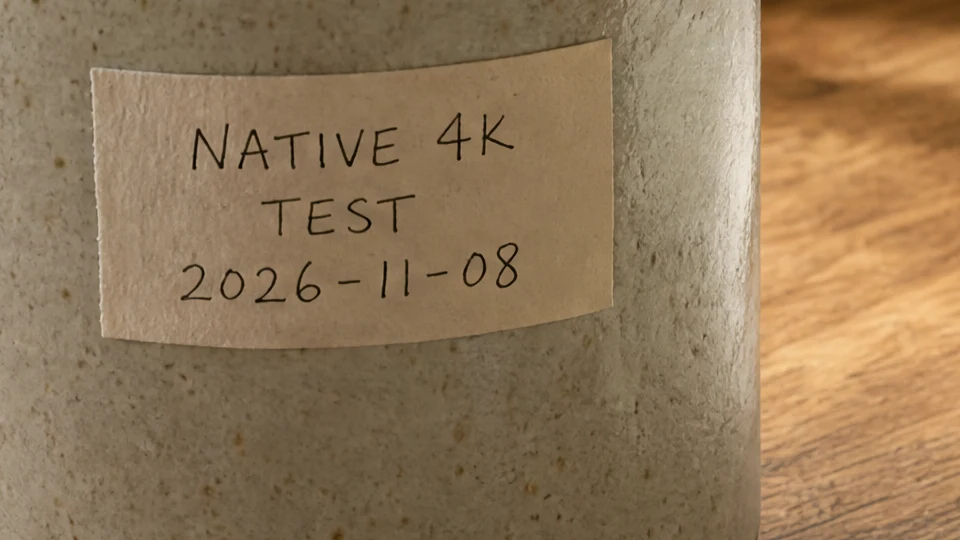
Two whole-image scores sit just above 35 dB because of the flat wall and desk; on their most detailed quarter all five are below 34 dB, more than 11 dB under the enlarged control. Every file's content credentials verify against the image bytes (c2patool reports the data hash as matching), so the files weren't edited after signing. The gpt-image-2-vip response also reported 13,342 output tokens, OpenAI's published count for a 3840×2160 high GPT Image 2 image.
The November 8 manifest lists PSNR figures measured with ImageMagick, about 1 dB lower than this script on the same files.
06
Send your first 4K request
1Create a key
Register, then create a Per-call token in the default group. If your tool only accepts the official name gpt-image-2, create the token in the GPT Image VIP group instead.
2Point at LaoZhang API
Set the base URL to https://api.laozhang.ai/v1 and keep your OpenAI SDK or HTTP client.
3Request 4K
Use a -vip model ID (or gpt-image-2 with a GPT Image VIP token) with size 3840x2160, 2160x3840 or 2880x2880, and keep the connection open for up to 600 seconds.
4Check the log
Each call shows its status and $0.03 charge in the usage log.
export LAOZHANG_API_KEY="YOUR_LAOZHANG_API_KEY"

curl https://api.laozhang.ai/v1/images/generations \
  --max-time 600 \
  -H "Authorization: Bearer $LAOZHANG_API_KEY" \
  -H "Content-Type: application/json" \
  -d '{
    "model": "gpt-image-2-vip",
    "prompt": "A product photo of a ceramic mug on a wooden desk, morning light, a small handwritten label on the mug",
    "size": "3840x2160",
    "quality": "high",
    "response_format": "b64_json"
  }' \
-o gpt-image-2-4k.jsonimport base64
import os
from openai import OpenAI
client = OpenAI(
api_key=os.environ["LAOZHANG_API_KEY"],
base_url="https://api.laozhang.ai/v1",
timeout=600,
)
result = client.images.generate(
model="gpt-image-2-vip",
prompt="A product photo of a ceramic mug on a wooden desk, morning light",
size="3840x2160",
quality="high",
response_format="b64_json",
)
with open("gpt-image-2-4k.png", "wb") as f:
f.write(base64.b64decode(result.data[0].b64_json))import { writeFile } from "node:fs/promises";
const response = await fetch("https://api.laozhang.ai/v1/images/generations", {
method: "POST",
headers: {
"Authorization": `Bearer ${process.env.LAOZHANG_API_KEY}`,
"Content-Type": "application/json"
},
body: JSON.stringify({
model: "gpt-image-2-vip",
prompt: "A product photo of a ceramic mug on a wooden desk, morning light",
size: "3840x2160",
quality: "high",
response_format: "b64_json"
}),
signal: AbortSignal.timeout(600_000)
});
if (!response.ok) throw new Error(`HTTP ${response.status}: ${await response.text()}`);
const { data } = await response.json();
await writeFile("gpt-image-2-4k.png", Buffer.from(data[0].b64_json, "base64"));07
Limits to check before you switch
1Edits without masks
gpt-image-2-vip doesn't accept mask, and background="transparent" returns a 400. Use the GPT Image 2.5 -vip models for transparent PNGs.
2Quality tiers
xhigh and max exist on GPT Image 2.5 -vip, not on GPT Image 2. The 2.6 -vip models take low to high; xhigh, max and SVG return a 400 with no charge.
3Timeouts and dropped connections
Image endpoints are synchronous; allow 600 seconds for 4K. If your client disconnects, the job can still finish and be charged, and the image can't be fetched later. Check the usage log before you retry.
4429 responses
Keys have no requests-per-minute, images-per-minute or concurrency cap. A 429 means upstream capacity is busy: retry with backoff. Non-200 upstream responses aren't charged.
5Data and service terms
LaoZhang API doesn't store prompt or response content by default; upstream providers may apply their own logging and retention. The service is provided "as is" and "as available"; the status page shows current availability.
Frequently asked questions
Is this OpenAI's GPT Image 2 model?
Yes, the model is OpenAI's GPT Image. Every image carries signed content credentials (C2PA) that show where it was rendered: our November 9, 2026 gpt-image-2-vip file is signed by Adobe Inc. with Adobe Firefly as the generator, and the November 8 GPT Image 2.5 and 2.6 -vip files by OpenAI OpCo, LLC through the OpenAI API. The gpt-image-2-vip response also reported 13,342 output tokens, OpenAI's published count for a 3840×2160 high image. Check any file yourself with c2patool.
How can I tell whether a 4K image was upscaled?
Run the downscale test on the most detailed part of the image: native 4K usually scores below about 35 dB, while an image enlarged from 2K or less scores above about 40 dB. Then view the original at 100% and read its content credentials with c2patool. The script and our own results are on this page.
Does 4K or high quality cost more?
Not on the -vip models. Every size from 1K to 4K, every quality level the model accepts, and both generation and editing cost $0.03 per image.
How long does a 4K image take?
About 40 seconds to 3 minutes, mostly depending on upstream queueing; a 4K image takes about as long as a 1K one. Set the client timeout to 600 seconds.
Can I keep my OpenAI SDK code?
Yes. Change the base URL to https://api.laozhang.ai/v1 and the API key. To pay $0.03 per image, use a -vip model ID with a Per-call token, or a GPT Image VIP group token if your tool only accepts the name gpt-image-2. To keep OpenAI's token billing and parameters, use an OpenAI Official group token.
Am I charged for failed requests?
Non-200 upstream responses, such as 429 or 503, aren't charged. A request your client abandons after a timeout can still complete and be charged, so check the usage log before sending it again.
Which model should a new project use?
The docs recommend GPT Image 2.5 -vip for new integrations: same $0.03 price, quality up to max and transparent PNGs. Use GPT Image 2.6 -vip for GIF output, and gpt-image-2-vip to keep existing GPT Image 2 code.
Can I try it without paying?
YingTu, LaoZhang's image studio, gives $0.1 of free credit after Google sign-in, about 3 GPT Image images, with 500 grants a day and 30 days to use it. Generate in the browser, then move to the API with your own key.